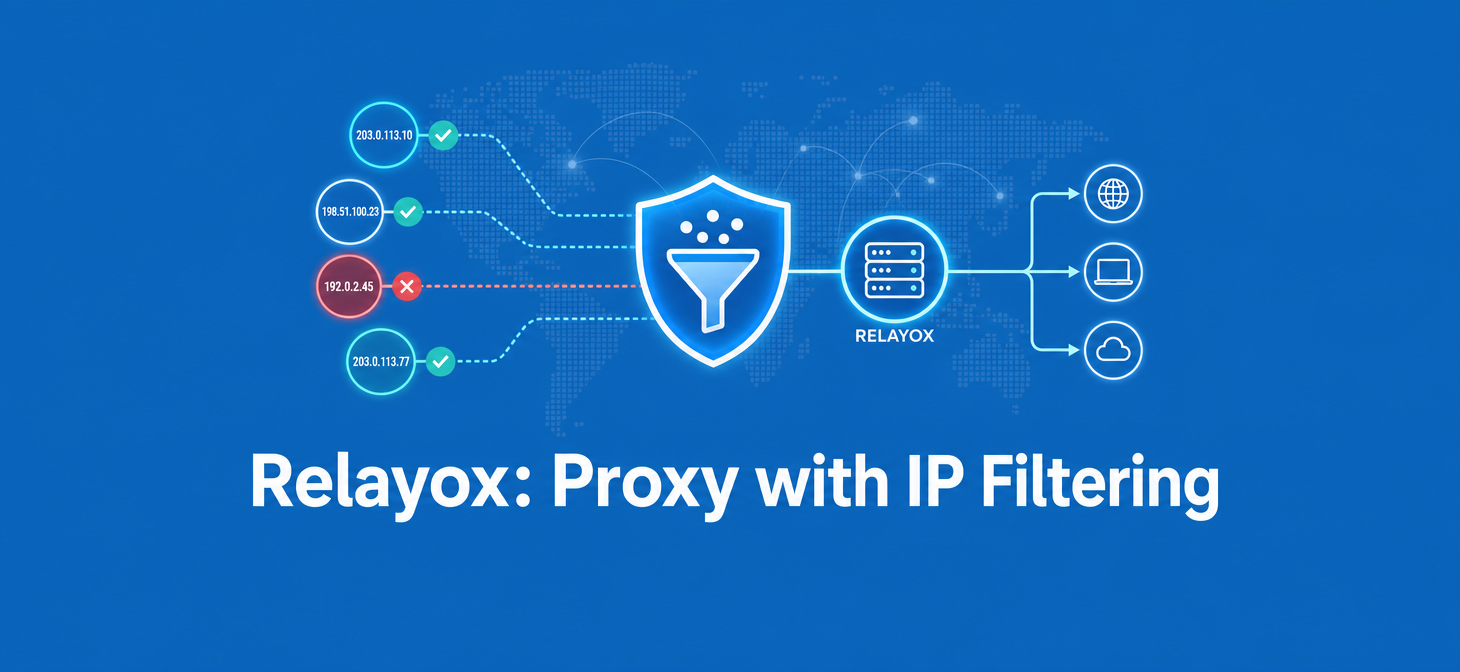
Relayox is a proxy provider that treats IP quality as a setting rather than a marketing claim. The pool is pre-screened against published metrics — Fraud Score, response time, stability, availability — and on top of that screening sits Quality Filter, a switch that lets you decide how strict the selection should be for a specific task: wide pool for scraping, tighter selection for ad accounts and multi-accounting.
The pain it addresses is familiar to anyone who has burned a batch of accounts on “premium residential” traffic: you buy access to a huge pool, you have no idea how the addresses were vetted, and you find out the hard way that half of them are flagged. Relayox takes the opposite route — a curated pool of 20+ million residential and mobile IPs across 190+ geos, open evaluation criteria, and user-side control over how much of that pool you are willing to cut off in exchange for cleaner addresses.
The service launched in early 2026 and is built for affiliate teams, media buyers, account farmers, e-commerce and automation crews — anyone whose results depend on IP hygiene rather than raw bandwidth volume. Try it.
| Parameter | Value |
|---|---|
| Name | Relayox |
| Service type | Proxy provider (residential, mobile, ISP) |
| Launch year | Early 2026 |
| Core features | Quality Filter with four filtering modes, continuous pool screening by Fraud Score, speed, stability and availability; country/region/city targeting; sticky sessions up to 48 hours; rotating sessions; API access |
| Pricing | From $8.50/month (2 GB, $4.25/GB); from $2.75/GB on 200 GB |
| Test access | Paid test: $1 for 200 MB |
| Support | Email: support@relayox.com; sales: sales@relayox.com; Telegram manager |
| Highlights | Published IP evaluation criteria, four quality/speed balance modes, unused traffic rollover, 20+ million IPs in 190+ geos |
Features and functionality
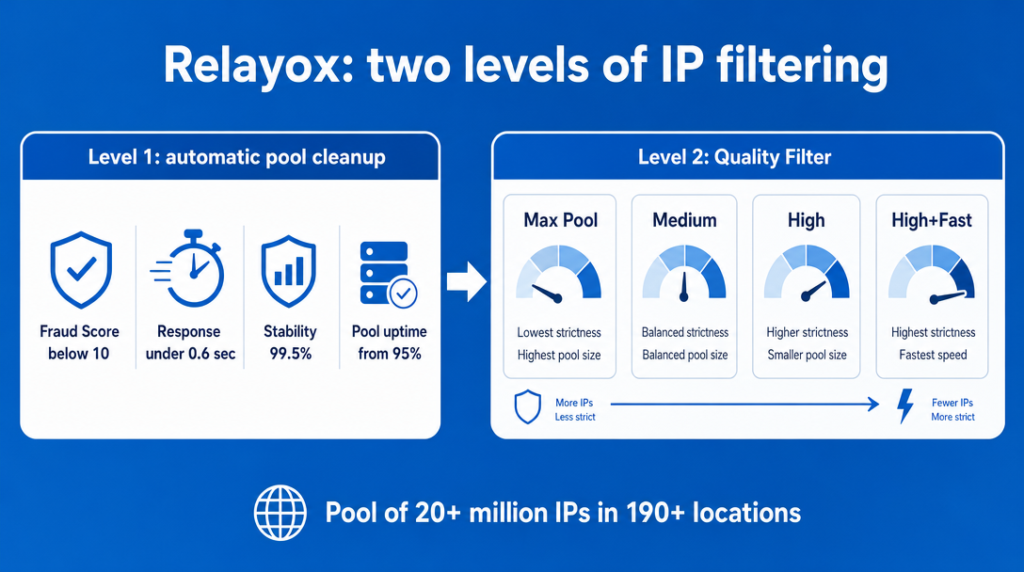
Relayox is built on two layers of quality control. First, the provider continuously screens and cleans its own pool by Fraud Score, response speed, stability and availability, dropping addresses that fall below baseline. Second, Quality Filter lets you tighten that selection further for a specific scenario — a layer users rarely get hands-on control over.
The declared numbers behind the network: 20+ million residential and mobile IPs, 190+ geos, and targeting down to country, region and city. Geo granularity matters for ad verification and price monitoring, where a national-level IP is often not enough to see the same SERP or the same offer page your audience sees. If you need ZIP-level precision for a specific workflow, availability is clarified individually with the support team.
Session behaviour is split into two modes. Sticky sessions hold a single IP for up to 48 hours — long enough to cover a full working shift plus overnight idle time without an unexpected address swap mid-session, which is the usual trigger for verification prompts in ad cabinets and social platforms. Rotating sessions change the IP automatically and are the right setting for parsing, bulk requests and automated pipelines where per-request diversity is the point.
Quality Filter modes
The four modes are the core differentiator, and the logic is a trade-off rather than a ladder: the stricter you filter, the cleaner the addresses and the smaller the available pool.
| Mode | What it does | Typical use |
|---|---|---|
| Max Pool | Access to the widest available pool | Large-scale data collection, market monitoring |
| Medium | Moderately stricter selection | Mixed automation, SEO checks, general tasks |
| High | Strict quality requirements | Multi-accounting, account farming, ad platforms |
| High+Fast | Strict quality plus speed requirements | Arbitrage workflows sensitive to both IP quality and latency |
In practice this means one account can serve two very different jobs. A team can run scraping on Max Pool where volume and cost per GB dominate, and switch to High or High+Fast for the accounts that actually spend money. The honest framing — and the one Relayox itself uses — is measurable, managed IP quality, not undetectability: no proxy setting replaces sane anti-detect configuration and account warm-up discipline.
Proxy types. Residential and mobile addresses cover multi-accounting, mobile verification and arbitrage; ISP proxies, added as one of the most recent major updates, give fast static IPs for scenarios where connection stability and a permanent address matter more than rotation.
Integration and billing mechanics. API access plugs proxies into in-house systems and automation, HTTP, HTTPS and SOCKS5 cover standard connection setups, and Traffic Rollover moves unused GB into the next billing period — a practical detail for teams whose consumption swings between campaign launches and quiet weeks.
Pricing and plans
Relayox bills by traffic volume, from $8.50/month for 2 GB ($4.25/GB) up to $550/month for 200 GB ($2.75/GB), with a custom Enterprise quote above 200 GB. Pricing is fully public, the per-GB rate drops as volume grows, and unused traffic rolls over to the next period.
The entry option is a paid test: $1 for 200 MB, which is enough to check your target geos, measure latency in your own stack and compare how Max Pool behaves against High before committing to a monthly volume. For a proxy purchase decision, that test is the step worth doing first — pool performance on your specific geo and target sites is the only benchmark that matters.
| Plan | Traffic | Price per GB | Monthly price |
|---|---|---|---|
| Mini | 2 GB | $4.25 | $8.50 |
| Starter | 8 GB | $4.00 | $32 |
| Most Popular | 15 GB | $3.80 | $57 |
| Hustler Plus | 25 GB | $3.60 | $90 |
| Pro | 50 GB | $3.30 | $165 |
| Business | 100 GB | $3.00 | $300 |
| Business Plus | 200 GB | $2.75 | $550 |
| Enterprise | 200+ GB | Individual | On request |
Mini and Starter fit solo buyers and account farmers testing a single vertical or running a handful of cabinets. Most Popular and Hustler Plus land where a small team with a few active geos usually sits. Pro and Business make sense once parsing or monitoring is running continuously alongside media buying, and Business Plus onward is for teams whose traffic is predictable enough to lock in the lowest per-GB rate. Since CPA.LIVE readers get 30% off everything with a promo code, the effective per-GB cost on mid-tier plans lands noticeably below the list price.
Who it suits and how to validate the fit
Relayox fits teams whose results depend on IP cleanliness and session stability: arbitrage teams and media buyers, multi-accounting and farming specialists, e-commerce projects, and automation or data-collection crews. It is also used by SEO specialists and Web3 teams for ad verification, price analysis and multi-geo market monitoring.
The strongest case for it is when you want to know the criteria behind the pool instead of taking “premium quality” on faith, and when different tasks in the same team need different filtering strictness. Running scraping and ad accounts through the same undifferentiated pool is how teams end up either overpaying for clean IPs on low-value requests or burning accounts on cheap ones. Quality Filter is the knob for that split, and the 48-hour sticky sessions help on the farming side.
Practical checks before scaling up. If ZIP-level targeting is a hard requirement for your workflow, agree it with the manager first, since the publicly stated granularity is country, region and city. If your workload runs into terabyte-scale collection, discuss volumes and per-GB terms through the Enterprise quote rather than a standard plan. And since the service launched in early 2026, the $1 test is the practical way to validate the pool on your own traffic and geos in a single evening.
Conclusion
Relayox positions itself narrowly and consistently: a pool where the evaluation criteria are published and the filtering strictness is yours to set. For affiliate teams that run both scraping and paid accounts, the ability to move between Max Pool and High+Fast inside one subscription is a concrete operational advantage, and Traffic Rollover plus transparent per-GB tiers make budgeting predictable.
CPA.LIVE readers get a 30% discount on everything with promo code CPALIVE. Combined with the $1 / 200 MB test, that makes the entry cost of checking the pool on your own geos close to negligible.
Support: support@relayox.com Sales: sales@relayox.com Telegram: @manager_Relayox
FAQ
What exactly does Quality Filter change compared with the default pool?
Does a stricter mode guarantee my accounts will not get banned?
How long can I hold the same IP?
What is the difference between ISP and residential proxies here?
How do I test the service before buying a monthly plan?
What happens to traffic I do not use?
How granular is geo targeting?
Can I connect proxies to my own tools?

Content verified by expert
On December 31, 2024, Dmitrii left his position as Head of Media Projects at ADSBASE Group. He currently leads CPA.LIVE and the ADDSET forum.
Holding numerous certificates, Dmitrii confirms his authority in digital marketing.

Ilya Sadowskiy Author
Creating social-media content since 2017. I write about arbitrage, marketing, IT, and crypto. I work with all text formats—from short Telegram posts to expert articles for major media outlets.